

One Tap To Check In.
One Simple Glance.
Peace Of Mind.

Fine and Dandy is a well-being status check app for everyday life — a quiet, non-intrusive way to know how a loved one is doing — without nagging texts or calls.

First Time Setup — About One Minute

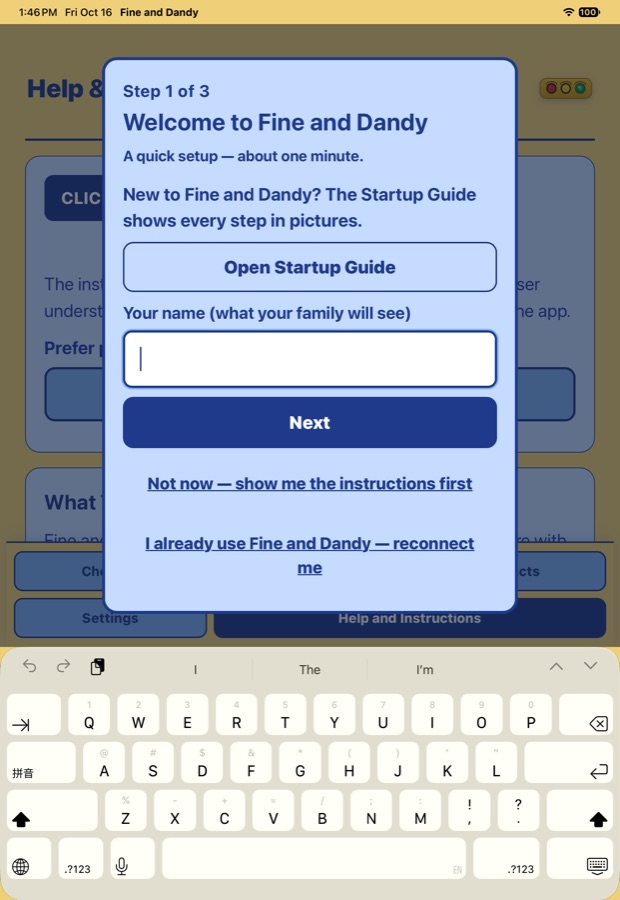
  1. Your name — type the name your family will see, then tap Next.
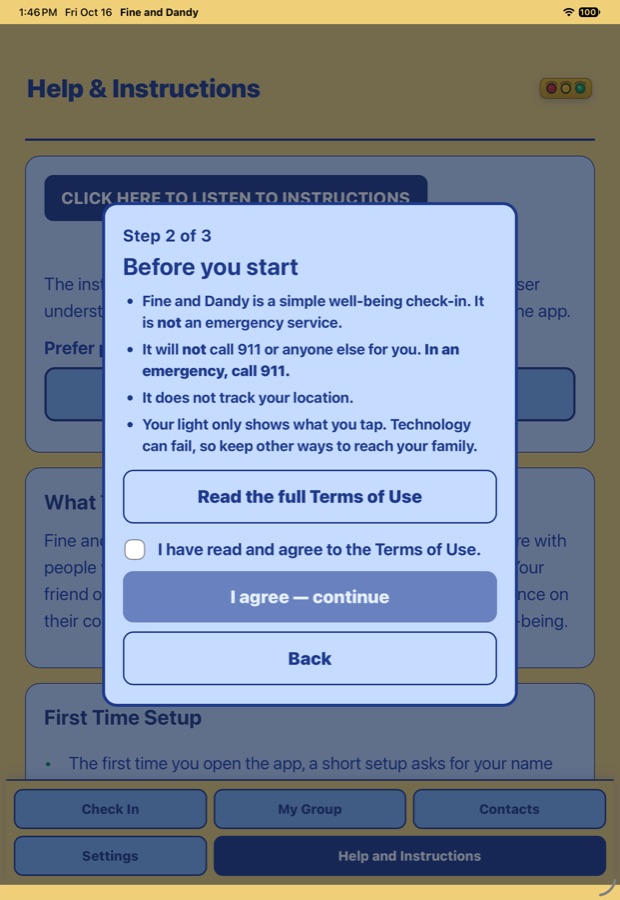
  2. Before you start — read the short notes and agree to the Terms of Use.
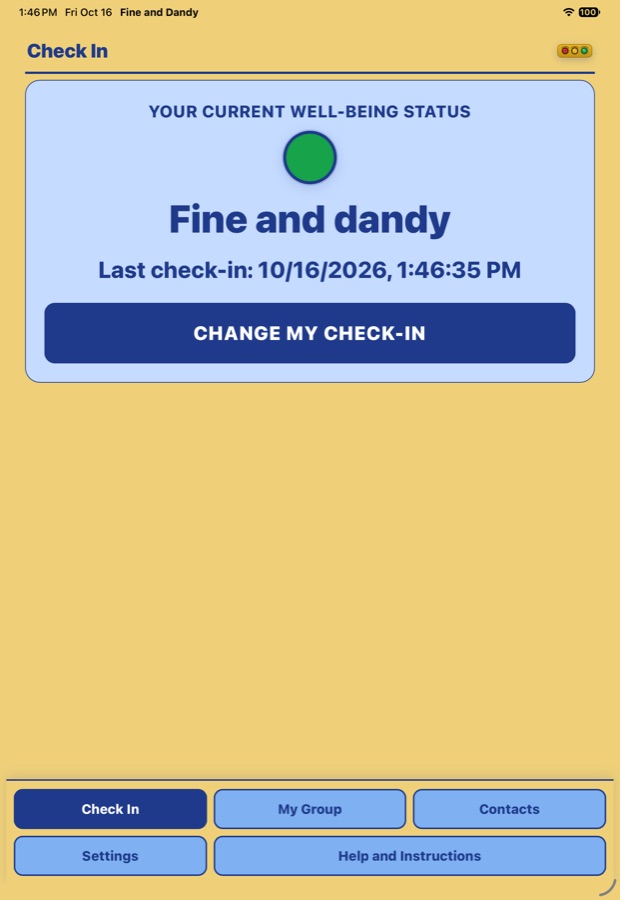
  3. You’re all set — tap Check in now.

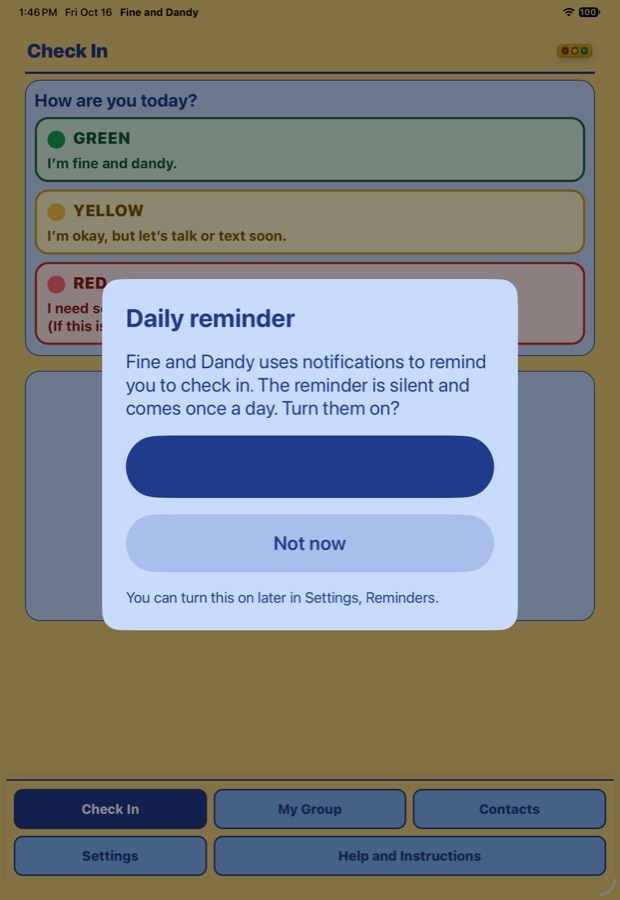
Then the app explains the silent daily reminder and asks if you want it: tap Turn On or Not now. Your choice is remembered. You can turn it on later in Settings → Reminders. “Not now — show me the instructions first” is remembered too, and Help has a big Back to setup button.

Setup step 1: your name
Step 1: your name
Setup step 2: before you start
Step 2: agree
Silent daily reminder: Turn On or Not now
Daily reminder choice
Check In screen showing Green, fine and dandy
Check in: Green, Yellow, or Red

Questions or help: support@fineanddandy.app